Explore
Top Rated Discussions
Most Recent Discussions
Most Recent Activity
Hot Discussions
New User Discussions
Discussions w/ No Response
Help
FAQ
Earnings Program
Community Guidelines
Contact
Sign Up!
Log In
Search
Tagged Discussions
Tagged Responses
Tagged Comments
Tagged All Activity
Users
Full Text Discussions
Full Text Responses
Full Text Comments
Full Text All Activity
X
computer tips
Tagged Discussions
How to clean C drive to remove temporary internet file
halimbd
@halimbd
(124)
•
Bangladesh
15 Sep 10
Any advice to clean temp file from c drive for windows xp will be highly appreciated.
c drive
clean c drive
computer tips
temp file clean
6 responses
Tips for computer
ny1009
@ny1009
(36)
•
Malaysia
4 Jul 09
Want to learn 10 easy steps to speed up your computer without upgrading your computer?Please go to my profile and check out my website to learn how.Please give me feed back on how these tips help you.Have a nice day!
computer tips
1 response
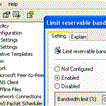
speed up your slow broadband connection speed by 20% xp/xp-pro
gilly123
@gilly123
(157)
24 May 08
Okay here is a fabulous tip for speeding up your connection speed by at least 20%,follow these simple instructions;First click on Start button(left hand side bottom of your computerthen type GPedit.msc in the run option. Under...
computer tips
fast broadband
opomise computer speed
speed up your computer
3 responses
Tips
dixie1
@dixie1
(1330)
•
United States
19 Oct 07
What are some tips to keep your computer running as FAST as possible? I have Dell XP and cable via comcast. Thanks in advance.
computer tips
dell xp
performance
speed
2 responses
Removing Multiple Boot Screen.............
nuthalapatilalitha
@nuthalapatilalitha
(94)
•
India
16 May 07
If u r getting unwanted multiple boot screen The Follow these stops: 1. Right click on My Computer 2. Select Properties 3. Select Advanced Tab 4. Select Settings in the startup & Recovery Section ( 3rd grp ) 5. Select the...
booting
computer
computer tips
removing multiple boot up screens
Modify Color Selection of Default Theme.............
nuthalapatilalitha
@nuthalapatilalitha
(94)
•
India
16 May 07
Open registry by going to Start then Run Entering regedit, navigate to [HKEY_USERS\DEFAULT\Software\Microsoft\Windows\CurrentVersion\ThemeManager] and locate the key "ColorName". Right click on it and select modify its...
computer
computer tips
modify color seletion of default theme
Disable the Disk Performance counter(s).....................
nuthalapatilalitha
@nuthalapatilalitha
(94)
•
India
16 May 07
Windows XP contains a built in performance monitor that is constantly examining various areas of ur system. This information can be called up using the performance monitor application found in control pane\administrative tools. Of...
command prompt
computer
computer tips
disk performance counter
1 response
Creating the Suspend shortcut
nuthalapatilalitha
@nuthalapatilalitha
(94)
•
India
16 May 07
Right Click on the Desktop New / Shortcut. Enter in rundll32.exe PowrProf.dll, SerSuspendState. Give it whatever name u want. Now when u click on that shortcut, ur Computer will shutdown and suspend.
computer
computer tips
desktop
suspend shortcut
Removing the Shortcut arrow from Desktop Icons....................
nuthalapatilalitha
@nuthalapatilalitha
(94)
•
India
7 May 07
Goto Start - Run and Enter refedit. Navigate to HKEY_CLASSES_ROOTInkfile Delete the IsShortcut registry value. u may need to restart Windows XP.....
computer
computer tips
removing shortcut arrow
shortcut arrow
1 response
•
1 person
To change Drive Letters.........................
nuthalapatilalitha
@nuthalapatilalitha
(94)
•
India
7 May 07
Go to Start - Control Panel - Administrative Tools - Computer Management, Disk Management, then right-click the partition whose name u wnt to change (click in the white are just below the word "Volume") and select "Change drive...
change drive letters
computer
computer management
computer tips
drive
2 responses
Customize Logon prompt with ur Own Word..........
nuthalapatilalitha
@nuthalapatilalitha
(94)
•
India
7 May 07
Open Registry by going to Start then Run, entering regedit and Navigate to [HKEY_LOCAL_MACHINE\Software\Microsoft\Windows NT\CurrentVersion\Winlogon]. In right pane, look for key by the name "LogonPrompt". Set its value to...
computer
computer tips
customize
customizing logon prompt
own word
xp
xp tips
Increasing Band-width By 20%....
nuthalapatilalitha
@nuthalapatilalitha
(94)
•
India
7 May 07
Microsoft reserves 20% of ur available bandwidth for their own purposes like Windows Updates and interrogating ur PC etc... To get it back: Click Start then Run and type "gpedit.msc" without quotes. This opens the group...
bandwidth
computer
computer tips
increasing band width
pc
run
1 response
•
1 person
Force Windows XP to Reboot Upon Crashing..........
nuthalapatilalitha
@nuthalapatilalitha
(94)
•
India
7 May 07
This registry edit will cause ur system to reboot itself automatically upon crashing. This can be useful if u have a reason for keeping ur system on 24/7: Open REGEDIT Navigate to...
computer
computer tips
computer tricks
crashing
operating system
reboot
tips of computer
windows xp
xp
Removing Shared Documents folder From My Computer......
nuthalapatilalitha
@nuthalapatilalitha
(94)
•
India
7 May 07
Open registry editor by going to start then Run and entering regedit. Once in registry, navigate to key HKEY_LOCAL_MACHINE\SOFTWARE\Microsoft\Windows\ CurrentVersion\Explorer\My computer\NameSpace\DelegateFolders You must...
computer
computer tips
documents
my computer
removing shared documents
shared documents
shared documents folder
tips tricks of computer
tips of computer
Renaming the Recycle Bin icon.........
nuthalapatilalitha
@nuthalapatilalitha
(94)
•
India
7 May 07
To change the name of the Recycle Bin Desktop icon, click Start then goto Run, write Regedit and press Enter. It opens Registry Editor. Now in Registry Editor...
computer
computer tricks
computer tips
desktop icon
recycle
recycle bin
recycle bin
renaming
renaming recycle bin
tips of computer
tricks of computer
Modify Autoplay for Different Type of CDs
nuthalapatilalitha
@nuthalapatilalitha
(94)
•
India
5 May 07
Windows XP includes the ability to perform different actions depending on the type of CD u insert into the drive. For example, u could set ur system to always respond to CDs containing MP3 files by opening Windows Media...
autoplay
computer tips
tips of autoplay option
tips of computer
Creating Shutdown Icon or One Click Shutdown
nuthalapatilalitha
@nuthalapatilalitha
(94)
•
India
5 May 07
Navigate to your desktop. On the desktop, right-click and go to to New, then to Shortcut (in other words create a new shortcut). U should now see a pop-up window instructing u to enter a command line path. Use this path in...
computer tips
computer tricks
harddrive
shutdown
system shutdown
tips tricks of computer
1 response
•
1 person
Deleting System Softwares
nuthalapatilalitha
@nuthalapatilalitha
(94)
•
India
5 May 07
XP hides some systems software you might want to remove, such as Windows Messenger, but u can tickle it and make it disgorge everthing. Using Notepad or Edit, edit the text file /windows/inf/sysoc.inf, search for the word 'hide'...
computer
computer tips
softwares
system
system softwares
tips of computer
tricks of computer
Creating a desktop shortcut for locking ur computer.....
nuthalapatilalitha
@nuthalapatilalitha
(94)
•
India
4 May 07
If u use ur computer in an area where others may have access to it, and there are things on ur system u would rather have kept confidential,locking ur desktop when u leave the computer is an essential task. Here's a recipe for a...
computer tips
computer tricks
tips of computer
tricks tips of computer
tricks of computer
1 response
•
1 person
Making windows XP GENUINE the easy way.
nuthalapatilalitha
@nuthalapatilalitha
(94)
•
India
4 May 07
Download jellybean keyfinder from this website http://www.magicaljellybean.com/keyfinder.shtml Now open keyfinder.exe Click on options and click "change windows key" Now enter this key and you're...
computer tips
computer tricks
computer usage
tips of computer
tricks of computer
2 responses
•
1 person