

No User Serviceable Parts

By AnjaP
@Rollo1 (16676)
Boston, Massachusetts

December 8, 2015 6:33am CST
When I was young - back in the old, dark days, just a few years after the Stone Age - you could replace tubes in your TV if it went on the blink. You could take apart your transistor radio and solder the wires that had come loose. You could fix things.
Even my dinosaur desktop computer has accessible and replaceable parts and components that I can mess around with.
But over the years, instead of the screws that let you take the device apart, there appears a sticker warning "No User Serviceable Parts". Sometimes there is even a threat of death by electrocution or perhaps, confusion, should you attempt to take off the back of the device and view its startling array of solid state circuitry.
But, being a dummy, I bought a tablet anyway. And I have enjoyed it and used it for many different things. I happily played my games, surfed the web, read books on the Kindle app, watched videos, etc., without once thinking what I would do if it broke.
It broke. Well, just the button that turns it off and on has broken I have searched the net for articles or videos on how to fix it. But the only videos I can find are very confusing and the repairs are being performed on tablets that have these tiny screws on the side to take off the back. Mine has no screws. I can see no point of entry.
Luckily, I never turn the tablet off. So when the button broke, the tablet was on. It goes into screen sleep mode if it is inactive, and usually I would push the button to make the screen light up again. However, the button is broken. But I discovered that by plugging in the charger, the screen is made to appear just to tell me the percentage of charge the battery has. This lets me in again. And while I am using it, I set the display to stay on for the longest period of time possible to avoid it going off again if I set it down.
But I would much rather fix the button.
Have you had to take something for repair or have you had to buy a new device because it was designed to prevent repairs?
Does anyone know how to break into a Dell Venue 7 and fix the button?
18 people like this
20 responses

@Asylum (47893)
• Manchester, England
8 Dec 15
Too many items these days have moulded covers, which makes accessibility difficult. I did find a link to a series of repair manuals for the device at but the list does not appear to include the start button situation.
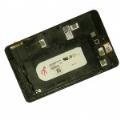
Learn how to install and replace the Touchscreen Assembly on a Dell Venue 7 (3740) Tablet. This will take you set by set through the co | Read More
2 people like this

@Rollo1 (16676)
• Boston, Massachusetts
8 Dec 15
@Asylum Based on the photos accompanying those repair instructions, I can see where the button is situated and I can't really see what I could to to fix it. But I do see many ways for me to do more harm, lol. I may have to live with it as is, as long as I can still use it. But it's no good outside of the house anymore. If the screen goes off, I won't be able to get in again if I am away from the charger.
1 person likes this

@Beatburn (4286)
• Philippines
9 Dec 15
They're meant to be replaced. The whole tablet I mean. Had a similar problem. When I pressed the on button it sunk and hid from the outside world. Couldn't fix it unless I bring it to the repair shop for service that will take 3 weeks.
So, I did what you did. Plugged it when I needed to turn it on and set the display to never hibernate or go to sleep.
Ah, new tech.
1 person likes this

@inertia4 (27978)
• United States
8 Dec 15
That happened to my daughter with one of my old iPhones. She dropped it a lot and the button just stopped working. I brought it to get fixed. They fixed it actually for free. I was happy about that part. But I heard that Apple might come out with the next iPhone without any buttons at all. That would be awesome. All touch all the time.
1 person likes this

@Jessicalynnt (50523)
• Centralia, Missouri
8 Dec 15
prob going to have to take it to a shop, they dont make those things for customers to fix anymore.
1 person likes this
@Jessicalynnt (50523)
• Centralia, Missouri
8 Dec 15
@Rollo1 very true, but there are places that will fix things, little local repair places, maybe geek squad

@Marilynda1225 (91013)
• United States
8 Dec 15
I have no idea how to fix it but maybe you could call Dell customer service and ask if this is a fixable problem?
1 person likes this
@Rollo1 (16676)
• Boston, Massachusetts
8 Dec 15
Dell is the worst of them all, really. They make sure that no other parts fit their computers - not even memory sticks. Sometimes, as in the case of the memory, you can get around it. Other times you can't. I have a feeling they would charge a lot of money to do anything, even discuss it. And I am sure the problem couldn't be fixed without some expensive Dell part. I think I am toast on this one.

@paigea (36143)
• Canada
8 Dec 15
It is annoying that we can't fix anything anymore. I banged my laptop screen with my phone as I was carrying them both. A tap really. The screen just quit working and was just full of colourful squiggly lines. It wasn't broken.
I did go online and read ideas of how to fix it, but instead I took it to the shop and paid a LOT of money for a brand new screen. Frustrating.
1 person likes this

@BelleStarr (61463)
• United States
9 Dec 15
I would take it into the computer shop it might be a very simple repair. Depending on what You paid for it, I might just get a new one they are so cheap now.
1 person likes this


@JESSY3236 (22199)
• United States
8 Dec 15
You could take it to get fixed, or maybe trade it in for a new one.
1 person likes this

@Gabugs (1895)
• United States
9 Dec 15
@rollo1 You are absolutely right in what you state. I recall the same thing about tube lights and other gadgets. Many gadgets could be repaired easily; its a different scenario now. The manufacturers deliberately want them to knock off sooner or later. It breaks my heart to witness many things simply discarded within a short time of use.

@celticeagle (189792)
• Boise, Idaho
8 Dec 15
My daughter has had two tablets. Neither have worked long. The second she took to a repair place. When she got it back it still didn't come on. She now has a Dell laptop and is very happy with it. It actually works. I hope you find out how to fix the button. She had that happen to both of hers and even the repair place couldn't seem to fix it.


@AbbyGreenhill (45490)
• United States
8 Dec 15
Sometimes it's cheaper int he long run to replace the old stuff with more modern technology.


@JudyEv (381813)
• Rockingham, Australia
8 Dec 15
I'm sure most things nowadays are made to self-destruct after a certain time. Gone are the days when you could fix stuff yourself.

@fishtiger58 (29819)
• Momence, Illinois
8 Dec 15
That's the plan these days. You can't fix it. We are a throw it away society, it's really a shame though.
