

This Mouse is Driving Me Crazy

By AmberLynn
@ScribbledAdNauseum (104615)
United States

August 7, 2018 2:12pm CST
I honestly can't tell you what is going on. My "pointer" has now decided it was going to be small and white. I tried changing it, and I thought I had, but it hasn't reverted back to the large white arrow that I am used to. I am not sure what caused this as I know I didn't.
I've tried unplugging the mouse and plugging it back in, that didn't work. It's hard to see what the mouse is hovering over.
This is driving me crazy!
Has anyone else experienced this?
8 people like this
7 responses

@kobesbuddy (78833)
• East Tawas, Michigan
7 Aug 18
Ask J.J. if something can be done, to change it back. He's good at things like this! I'll ask him for you:)
@ScribbledAdNauseum (104615)
• United States
7 Aug 18
No need, I finally got it figured out. I knew to go to into the mouse menu, I just didn't think I had to restart my computer. I did that and now I can see the mouse again.
1 person likes this
@ScribbledAdNauseum (104615)
• United States
7 Aug 18
@kobesbuddy As am I. I even picked out a black cursor so that if it wants to go wonky again, atleast it will be easier to see.
1 person likes this
@kobesbuddy (78833)
• East Tawas, Michigan
7 Aug 18
@ScribbledAdNauseum Awesome Amber, I'm glad you figured it out:)


@Shellyann36 (11383)
• United States
8 Aug 18
I wonder why it just changed all of a sudden on its own? Glad you got it figured out though.
@Shellyann36 (11383)
• United States
9 Aug 18
@ScribbledAdNauseum Did you run a virus or malware scan after you got the problem fixed?
@ScribbledAdNauseum (104615)
• United States
8 Aug 18
I wondered the same thing. I haven't had any other trouble so I guess it might have been a fluke.
1 person likes this
@ScribbledAdNauseum (104615)
• United States
9 Aug 18
@Shellyann36 No, but only because I have safeguards that tell me when something phishy is going on.
1 person likes this

@toniganzon (77064)
• Philippines
8 Aug 18
I'm sorry but I agree with you it's crazy and I have never heard nor experience something like that before. Probably because I'm not using a mouse.
@ScribbledAdNauseum (104615)
• United States
8 Aug 18
I got it figured out, thankfully. I'm glad I did as it would have slowed down my online time quite a bit otherwise.
1 person likes this

@LadyDuck (502148)
• Italy
8 Aug 18
I see you found out how to change it. You always have to restart before some changes work.
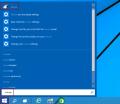
iSunshare Blog Home > Resources > Windows 10 > 3 Ways to Change Mouse Pointer Size and Color in Windows 10 There are three methods you can use to change Mouse Pointer size and color in your Windows 10 computer. Just continue reading and you will find detai
@ScribbledAdNauseum (104615)
• United States
8 Aug 18
Yes. I know it makes sense that you have to restart the computer, but I guess I didn't think about it at the time. I was just frustrated with the mouse problem.
2 people like this
@LadyDuck (502148)
• Italy
8 Aug 18
@ScribbledAdNauseum I know that this happens, it happened to me many times.

@ScribbledAdNauseum (104615)
• United States
7 Aug 18
I feel like I didn't make that clear enough in my discussion, I guess.
I did go to that setting menu but it didn't seem to work. I rebooted my laptop and it finally changed it. Thank You though.
1 person likes this

@JohnRoberts (109841)
• Los Angeles, California
7 Aug 18
No mouse problems here. It's weird how tech devices will have a mind of their own sometimes.
@ScribbledAdNauseum (104615)
• United States
7 Aug 18
Yes. I'm just glad I got it figured out.
1 person likes this

@snowy22315 (208746)
• United States
7 Aug 18
Problems like that are so annoying. Fortunately, my mouse seems to be behaving itself.
@ScribbledAdNauseum (104615)
• United States
7 Aug 18
It was so tiny and I couldn't see it. I did finally figure it out, thankfully.
