

Yahoo mail.

By lynnchua
@lynnchua (3412)
Singapore

5 responses

@santuccie (3384)
• United States
10 Nov 07
Now that lots of spammers and phishers know your e-mail address, and Yahoo! doesn't offer an effective solution, let alone POP access which could make way for a client-side solution, I regret to inform you that the ONLY way to make it stop is to migrate.
Yahoo! is too big a target for data mining as it is, and it doesn't help that they've long since decided to rest on their laurels. Yahoo!'s younger competitors continue to add functionality to their services, while Yahoo! sits back and lets age reap its privileges (Yahoo! is the best-known because it's the oldest search engine/e-mail provider, and average users assume it's the best because they've heard the name). The best way to control spam is to sign up with an e-mail provider that offers whitelisting or Challenge-Response.
AOL offers whitelisting, as well as POP3 and even IMAP services (you'll probably learn about these eventually), but you'd have to enable the whitelisting filter yourself. Bluebottle ( http://www.bluebottle.com/ ) is one of the best-known Challenge-Response providers. I've had an account with them for nearly three years, and I never get spam here. Spammers and phishers know what Bluebottle is for, and they stay away from it.
Once you've migrated (if you decide to do so), you should use some discretion to make sure your e-mail address doesn't get "blown up" like your Yahoo! address has. A few suggestions for you to bear in mind are: Don't post your e-mail address in forums or other online communities; use a web rating tool like McAfee SiteAdvisor, and don't submit your real/primary e-mail address on any site that does not have a green rating; when you get an e-mail with an attachment, download it to your desktop (do not open it yet, even if it's from someone you know), then scan it at VirusTotal ( http://www.virustotal.com/ ).
This method could take a little getting used to, but it REALLY works. I don't have the problem all my friends have; indeed the only spam I ever get is from them, in the form of silly chain letters that urge you to pass it on and get ten people praying for each other, or bear the guilt of having ignored an "important and meaningful message."
Of course I know that, whether or not there is harmful HTML coding embedded in the message, there is the problem of someone eventually getting a hold of a long list of active e-mail addresses if someone doesn't cut it short. So I bear the "guilt," saving my loved ones future grief. Hope this helps!
1 person likes this

@santuccie (3384)
• United States
10 Nov 07
I love AOL. It's one of the more full-featured e-mail services out there.
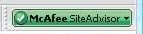
When I say "green rating," I'm referring to McAfee SiteAdvisor. It's a program that integrates into Firefox or Internet Explorer. When you visit a site, the SiteAdvisor "button" will turn green, gray, yellow, or red. Green means the site is trustworthy. Gray means the site hasn't been tested yet. Yellow means it's got some problems. Red means get your butt out of there!!! I've pasted a picture of the SiteAdvisor button. Hope this helps!
1 person likes this
@santuccie (3384)
• United States
10 Nov 07
Here's a link to the SiteAdvisor website: http://www.siteadvisor.com/
1 person likes this

@cupid74 (11388)
• Pakistan
15 Nov 07
Hi friend
i used to have this problem, the simple way to handle it that go to setting and have ur filters very strict, then it will only send emails from ur contact to INBOX while other will go to junk mail folder, u can simply delete junk mail. i have donr this and i feel great since last many years
take care

@quarvalsharess (986)
• Malaysia
9 Nov 07
These are phishing scams.. I always get them.. even when you're using gmail or hotmail, you'll still get them, my best advise? just mark them as spam and delete them. I wouldn't bother replying them as they might be able to get more information from me, ie: my ip and etc..


@nempel (139)
• Indonesia
10 Nov 07
first , you can check option n mark them as spam, so if that mail come again, it will automatically send to bulk, but if the mailer change the email address, thats the problem, I don't know why, yahoo spam protection is weaker compare to gmail, my gmail almost all spams kick to the spam folder, but the last we can do is may be report it to the yahoo admin so they can realize that their spam protection is weak. hope can help a little. imo.
