

Live Chat Software for Shopify

By Thomas Grey
@eAssistancePro (5)
Delhi, India

April 22, 2015 5:49am CST
Live chat software will help your online customer to get instant solution of their problems and also help you to improve customer service and conversion rate.
To integrate Live chat Software on Shopify website I would like to refer eAssistance Pro live chat software, It is easy to integrate and have user friendly GUI.
Now follow the given instruction below -
- Login on eAssistance Pro account at
- Go to 'My Account' and Click on 'Get Your Chat Button Code' option to copy the code.
- Login to your Shopify account
- Go to 'Themes' section in your Shopify admin panel
- Click 'Template Editor' to open Layouts
- Now, click 'theme.liquid' to edit your layout
- Add or Paste eAssistance Pro chat code/tracking code at the place in body section where you intend to display Live Chat option.
- Click "Save" and Click on "Live Preview" button on top
To get more help visit
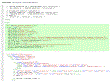
Include eAssistance Pro with shopify to provide the best of shopping experiences for your customers.
No responses
