

Image Manipulation in Photoshop

By egdcltd
@egdcltd (12059)

August 14, 2016 2:36pm CST
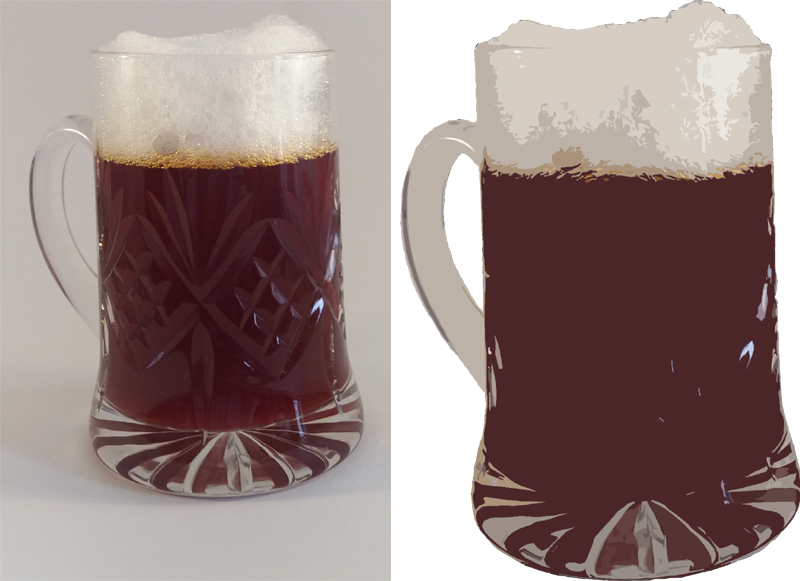
This is an image that has been done a different way. Instead of it being an image that was created from scratch, it was done by tweaking a photograph so that it looked less like a photo and more like an illustration.
The photo on the left is the original (do not drink this "beer"!) and the one on the right is the tweaked image. The background was cut away and the remaining image was filtered with the cutout option in Photoshop.
Image: Me
1 person likes this
2 responses

@1creekgirl (44560)
• United States
14 Aug 16
I enjoy Photoshop. I have given open eyes to people who had their eyes closed. Except for one time and the child ended up looking like an alien.
1 person likes this
@egdcltd (12059)
•
14 Aug 16
@1creekgirl I was messing around with that in creating a planet from textures.
1 person likes this

@Hatley (163772)
• Garden Grove, California
14 Aug 16
Imiss photo shop I have anew computer
and p;hoto shop does not go with windows'
ten and instead I have Gimp a site that lets'
you make graphics only I have no idea on how to use it and could not find help to understand how it works drat it.
1 person likes this
