

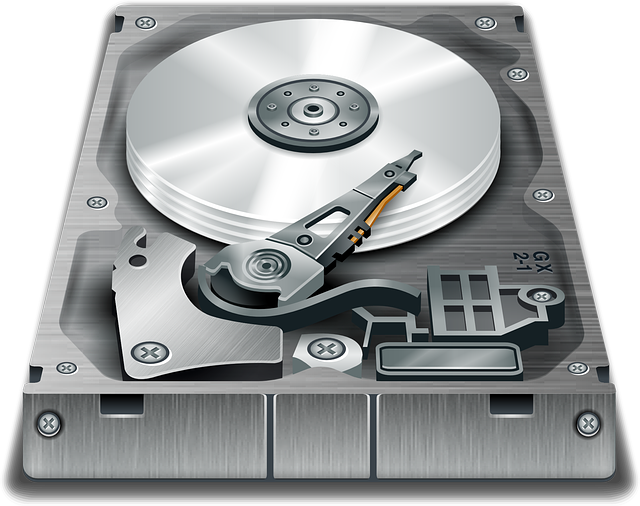
The layers of the computer's hard disc defined

@lookatdesktop (27156)
Dallas, Texas

May 22, 2017 7:40am CST
Below is a copy of my document created as a reference to my computer's hard disc drive broken down into 14 distinct categories as part of the Disc Defragment Process in Norton Utilities as it runs Deep Defragment Process of Drive C:\ The Windows OS file, or main partition of the hard disc that runs all applications within Windows:
When running a deep defragmentation of the hard discs using Norton Utilities 16 for Windows 10 based machine.
you will see a legend or chart that designates certain attributes along with files and locations on the hard drives color coded with information as to what type of files or space it is starting with the following colors on the chart with explanations at their side:
1. light Blue = No Status
2. White = Free Space
3. Black = Unmovable Space
4. Orange = Critical System Files
5. light pink = Files Used On Startup
6. Dark Blue = Master Flie Table
7. Medium Blue = MFT Reserved Zone
8. Hunter Green = Page Files
9. gold = Hiberfil File
10. pastel green = Directories
11. pale yellow = Frequently Access Files
12. Yellow-white = Infrequently Access Files
13. Red = Frequently Modified Files
14. Dark Pink = Infrequently Modified Files
Further research will help me define these terms as they relate to the Norton Utilities program's assessment of these parts of the hard discs on my desktop personal computer and will be provided below this information on this text document page when they I have the opportunity and time to gather the information online.
reference no. 1 : definition of a hiberfil system file:
If you have anything more to add to this discussion please do so.
reference no. 2 : PC Advvisor on How to defrag in Windows 7,8 & 10:
(http://www.pcadvisor.co.uk/how-to/windows/how-defrag-in-windows-7-8-10-3493358/)
additional information will be added in the comments section of this discussion.
Hyberfil.sys is a file used to store the current state of the windows. As you put your PC in the hib...
3 people like this
3 responses

 .
.
@lookatdesktop (27156)
• Dallas, Texas
22 May 17
Hmm. I am still learning. Thanks for your imput.
1 person likes this
@lookatdesktop (27156)
• Dallas, Texas
22 May 17
@lookatdesktop From How to Geek online: about Linux systems and explains why they work differently than Windows systems:

If you’re a Linux user, you’ve probably heard that you don’t need to defragment your Linux file systems. You’ll also notice that Linux distributions don’t come with disk-defragmenting utilities. But why is that?
1 person likes this

@topffer (42155)
• France
22 May 17
@lookatdesktop It is even more true for SSD drives.
1 person likes this
@lookatdesktop (27156)
• Dallas, Texas
23 May 17
Most people now buy laptops for their computing needs and have to make the decision between getting either a Solid State Drive (SSD) or Hard Disk Drive (HDD) as the storage component. So which of the two is the better choice, an SSD or HDD? There’s no str
1 person likes this
@lookatdesktop (27156)
• Dallas, Texas
22 May 17
From my standpoint using Windows I must run defragmenter if only to speed the processes but if I ever go for a Solid State Drive I won't bother with the defragment process as it is said to do damage and shorten the life of a hard disc drive.
2 people like this

@snowy22315 (208995)
• United States
22 May 17
This discussion is sure to appeal to the techies amongst us!
1 person likes this
@lookatdesktop (27156)
• Dallas, Texas
22 May 17
Thanks for commenting. I am still researching all of the terms and will provide more and also appreciate other members' feedback as well.
@lookatdesktop (27156)
• Dallas, Texas
22 May 17
@lookatdesktop , Disc defragmentation explained:

There is a lot of conflicting information out there about disk defragmentation. Some people advise doing it weekly... some people say it hurts the hard drive, the others say that never defragmenting hurts the disk even more. Today we clear up the confusion
@lookatdesktop (27156)
• Dallas, Texas
22 May 17

Clean up your hard drive and improve its speed by using the defrag feature in Windows 10, 8, and 7. In this feature we show you how to it and whether it's a good idea or not.
