

The 'biological' clock in my computer is not working
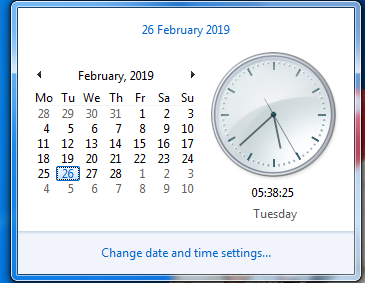

@allknowing (153530)
India

February 25, 2019 6:11pm CST
I call it biological as this clock is supposed to work even when the computer is put off.
Apparently there is a tiny battery inside the computer that helps the clock to work. My battery seems to have conked out. The technician tried to replace it but it still does the same.
I have to manually adjust the time after I switch on the computer. If this is not done it plays havoc with my work on my pc, specially here at myLot.
Even my anti virus software plays up and asks me to update.
I have a chore to do each time I switch on the pc and that is to adjust the clock.
7 people like this
9 responses


@rsa101 (40976)
• Philippines
26 Feb 19
@allknowing That’s the battery. It should have worked already but as you’ve said it still is not working so there’s other hardware or software that’s not working well in your pc.
2 people like this
@allknowing (153530)
• India
26 Feb 19
@rsa101 I am lying low on this. As long as I manually adjust all is well. I would not want my mother board to be tampered with.
2 people like this
@allknowing (153530)
• India
26 Feb 19
I remember my technician replacing a tiny round thing (lol)
2 people like this

@WiseGhots (14603)
•
26 Feb 19
This is the first time I see someone say the world "biological" in reference to a computer clock. It was funny! 
2 people like this
@allknowing (153530)
• India
26 Feb 19
Does it not sound logical. It just works in there (lol)
2 people like this

@May2k8 (19788)
• Indonesia
27 Feb 19
@allknowing I understand! Unfortunately this CMOS battery cannot be recharged, when it is no longer usable it must be replaced by a new one even though it's cheap.
1 person likes this
@allknowing (153530)
• India
27 Feb 19
I may call myself computer savvy but when it comes to tampering with hardware I am miles away
1 person likes this


@allknowing (153530)
• India
27 Feb 19
There is more to a computer than just to log on and off
1 person likes this
@allknowing (153530)
• India
27 Feb 19
@DianneN It is a great achievement indeed for seniors. 
1 person likes this

@allknowing (153530)
• India
27 Feb 19
Thanks for your advice. The thing is I am mortified when it comes to opening that CPU (lol)
@Dextoi (1845)
• Philippines
27 Feb 19
@allknowing don't be... it's easy.. a little search on the net would help you a lot.
1 person likes this

@LowRiderX (22901)
• Serbia
27 Feb 19
 I have the same problem!!! I must do the same and the clock 'stuck' again. I don't even know how many times I adjust it, I stopped counting ... but I'm always 'late'
  Thanks God, I have no problem with antivirus.
I would say it 'smells' on new computer
Thanks God, I have no problem with antivirus.
I would say it 'smells' on new computer 1 person likes this
@allknowing (153530)
• India
27 Feb 19
That is the first thing I do and as long as the pc is on, it works.
1 person likes this
@allknowing (153530)
• India
27 Feb 19
@LowRiderX There could be a serious problem with yours as mine only stops when I put off the current
1 person likes this
 I set it up several times by day
@scarlet_woman (23463)
• United States
28 Feb 19
that's weird.when you change the battery,that should fix it.
1 person likes this
@allknowing (153530)
• India
28 Feb 19
The Mother board could be the culprit but I do not want to tamper with it as long as manual fixing does the job
1 person likes this

@wolfgirl569 (135722)
• Marion, Ohio
26 Feb 19
We had an old desktop that did that. Never tried to fix it.
1 person likes this
@allknowing (153530)
• India
26 Feb 19
I keep adjusting it first before starting my work on my pc
1 person likes this

@allknowing (153530)
• India
26 Feb 19
Good heavens Wake up and do some work on your PC clock But with that time how can you perform???
Wake up and do some work on your PC clock
But with that time how can you perform???