

Computer memory Sticks
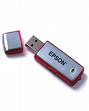

By lilaclady
@lilaclady (28206)
Australia

July 10, 2007 8:33pm CST
Can nay computer savvy people tell me if the memory sticks you can buy for the computer would do the same job as burning a copy for backup of a webpage, I always backup my webpage as I would hate to lose all my hard work but I was wondering if putting them on a memory stick thingy would that be the same ot is their pros and con if anyone could tell me, I just think it would be easier to put them on the stick rather than burning, any opinions welcome.
1 person likes this
9 responses

@polachicago (18716)
• United States
11 Jul 07
Memory stick is OK if you are moving information form computer to computer. I have all back up on external drive. It is smart money spending. I have 250 GB external drive for about $99, it means that I can keep as much as I want on external drive. In addition to I have all copy on second external drive, so I have information protected. I need it for my photography, but memory stick is more expensive and memory wise limited...
@lilaclady (28206)
• Australia
11 Jul 07
Thank you for this, I wouldn't mind an external drive I may have to look into that thanks...
@polachicago (18716)
• United States
11 Jul 07
you can have smaller external drive with let say 40GB and it may cost probably less than $40 now...
You have to pay the same for 1GB memory stick...
1 person likes this

@santuccie (3384)
• United States
11 Jul 07
No form of backup lasts forever. Your best bet is to have multiple backups. Optical discs, like CDs and DVDs, can last as long as five years if you take care of them. Flashdrives are the most convenient, but they also tend to die faster than the others. Hard drives tend to have the longest shelf life when you only use them for backups as opposed to a primary system drive, but you don't always know ahead of time when they're about to fail. There are data recovery centers available to come to your rescue, but their services are not cheap.
Another option is online storage. There are plenty of places where you can get free storage. Two that I use are Xdrive and MediaFire. MediaFire can store files up to 100 MB apiece, and even host files (at your discretion) so that anyone can download them at any time. Storage space is unlimited; the only limitation on free accounts is 100 MB maximum per file. AOL offers free Xdrive accounts with 5 GB of storage. However, the size of an individual file is not limited to 100 MB. I don't know for sure, but I'm assuming you could actually upload and store a single file at 5 GB if you wanted to (a disk image, for example). I keep ISO images there for two of my most important techie CDs, WinPE and the Hiren. The WinPE image is a full 618 MB. :)
1 person likes this
@lilaclady (28206)
• Australia
11 Jul 07
Thank you so much at least I know I have more than one option, thank you.
1 person likes this
@santuccie (3384)
• United States
11 Jul 07
You're very welcome. Good luck to you with your websites! I'm still new to blogging, but very excited to be venturing into this new universe. :)
1 person likes this

@TenchiMuyou (91)
• Brazil
12 Jul 07
Its a good option, but as ppl said a external drive is usually better. Still I always make a full backup on DVDs every now and then, because the external drives are too expensive here.
1 person likes this

@tikensoup (227)
• Mauritius
11 Jul 07
Hi Lilaclady, You can use memory sticks to backup your web page. However I would recommend an external hard drive for your backups. Your get more storage capacity and can therefore organize your backup more efficiently.
1 person likes this
@lilaclady (28206)
• Australia
11 Jul 07
Thank you, I am thinking of doing this, I never even thought of it myself, it sounds like a good option, thanks

@xingkong178 (298)
• China
30 Sep 07
I am majoring in computer software ,but i do not really known what you mean.
1 person likes this
@lilaclady (28206)
• Australia
30 Sep 07
it is one of those little things you plug into your computer the copy your files on.....

@BELMCstar (1341)
• Australia
11 Jul 07
If you backup the pages onto a memory stick in the same way as burning the items onto a cd or similar it would be better as you can erase the items easier off a memory stick than off a cd.
It would be a good idea to back it onto a cd and keep that in a media safe once a month, depending on how often you update your pages.
Try to make it so that you can add items to the cd, this way you don't have a cd sitting there half full.
I know that you can get a 2GB Lexar Flash Drive from Officeworks for about $50-60
Let us know how you go!
@lilaclady (28206)
• Australia
11 Jul 07
Thank you for your help with all the help I have been given I now have quite a few options, I bought a memory stick fromEbay the other week just to carry with me when I go to other people places I am always coming home with a cd or something, then I thought this would be easier than burning my backup, then someone else pointed in the direction od an external hard drive, so may options..its great, thanks, I always have my problems solved in here... thanks....
@thatcrazyqbanita (3312)
• United States
28 Sep 07
it really depends what you need it for. i am personally saving up for a 500 gb hard drive where i can just dump all my files on and not have to worry about

@scarywhitegirl (2766)
• United States
11 Jul 07
We asked the tech guys at my last job about different storage media, and which were the best, and the conclusion that they reached was that basically every form of storage media will eventually wear out, it's just a matter of how long it takes before it wears out. I believe that memory sticks were among the items that will wear out somewhere between 1-3 years, while a CD has a good chance of lasting longer, as long as it isn't scratched.
If you want your data to be the most secure, the best recommendation is usually to back it up to more than one storage device. So if you are burning to a CD now, having a memory stick also would make your data more secure.
1 person likes this
@lilaclady (28206)
• Australia
11 Jul 07
Thank you for this info, I have spent a lot of time on my webpage and I do want to have it backed up as I would be devistated if I lost it, thanks again...
