

When things get tough, I get tougher!

@AbbyGreenhill (45490)
United States

March 30, 2016 11:04am CST
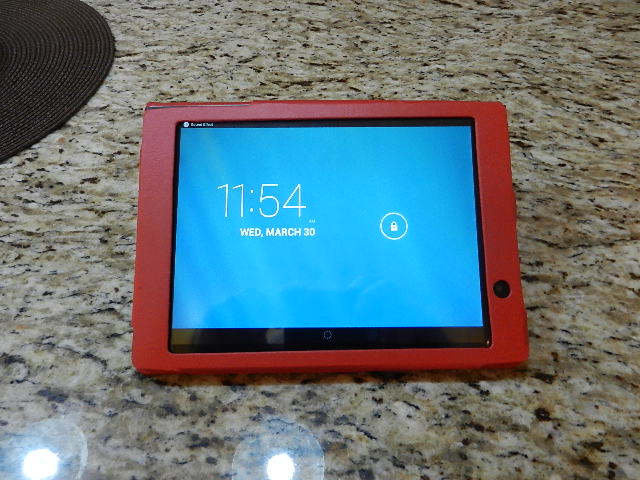
My new tablet arrived yesterday and I went right at it....I had not followed the simple instructions and tried to do it 'free form'...that didn't work. It kept telling me I was online, but I couldn't do anything. It was quite confusing.
Last night after a few hours of unsuccessful and fruitless exertion, I read the directions...turned out I had skipped one step, entering a password. Once I did that - Bingo - I was ready to rock-n-roll!
I don't have it all figured out yet, but I have what I need on there: E-mail, Facebook, MyLot and a few other sites. I even posted to Facebook and replied to comments, yeah for me. I feel like I accomplished something.
It is a LePan 8 inch tablet and I will say that it is just the right size for me. So far so good.
My next question is this: It is set up for my WIFI, what happens when I go somewhere that has WIFI - do I have to change anything or will it just know what to do?
Photo is mine.
10 people like this
10 responses

@fishtiger58 (29819)
• Momence, Illinois
30 Mar 16
I think if you are at say McDonalds there is a way to connect, but it's a step or two I seem to recall.
2 people like this
@AbbyGreenhill (45490)
• United States
30 Mar 16
I won't be taking it with me out to eat, I don't think I'm that important! LOL. But I would like to 'test it out' once.
1 person likes this
@AbbyGreenhill (45490)
• United States
30 Mar 16
@fishtiger58 That's about as close to McDonalds as I get anyway!
1 person likes this
@fishtiger58 (29819)
• Momence, Illinois
30 Mar 16
@AbbyGreenhill you might even be able to just sit in the parking lot at mcdonalds to give it a try. Of that I'm unsure.
1 person likes this


@LadyDuck (502491)
• Italy
30 Mar 16
 LOL, I did the same, I started working without reading the notice and I missed the preliminary steps. I think that when you go somewhere that has a WIFI the tablet will list the new connection and you can simply choose which one you want to use. This is what I did with my laptop in the past and it worked.
1 person likes this
@LadyDuck (502491)
• Italy
30 Mar 16
@AbbyGreenhill I never read instructions first, I always hope to be able to go on without losing time reading the instructions.
1 person likes this
@AbbyGreenhill (45490)
• United States
30 Mar 16
@LadyDuck Sometimes the instructions are so confusing it's easier to just go for it.
1 person likes this
@AbbyGreenhill (45490)
• United States
30 Mar 16
Good, that's what I thought might happen. I am also glad I'm not the only one who doesn't read instructions first.
1 person likes this

@kaka135 (14994)
• Malaysia
31 Mar 16
That's good. I guess it'll be easier for you to go online, and read something with your tablet.
Sometimes I'd read the instructions first, but sometimes I'd like to try it out myself.  Once your tablet has disconnected with the wifi at your home, and when you need to go online, you can search for a list of wifi available. If you are at certain coffee shops where they offer free wifi, you can just ask them for their username and password, and set it in your tablet, then you can go online.
Sometimes I'd read the instructions first, but sometimes I'd like to try it out myself.
Once your tablet has disconnected with the wifi at your home, and when you need to go online, you can search for a list of wifi available. If you are at certain coffee shops where they offer free wifi, you can just ask them for their username and password, and set it in your tablet, then you can go online.1 person likes this
@AbbyGreenhill (45490)
• United States
31 Mar 16
Ok, thanks, I'm sure it is probably a little easier than I think it is. Its a learning process I'm new at anything other than computer.

@infatuatedbby (94909)
• United States
30 Mar 16
I don't like reading instructions , but if it doesn't work - I will end up having too
As for wifi- when you go somewhere with wifi for my iPad device or even my phone, I have to my setting connect to the wifi typically public ones may have a passcode posted at the restaurant or something for protection. Then it should work, some restaurants require you to agree to terms when you open the browser also, or time restrictions of usage.
As for wifi- when you go somewhere with wifi for my iPad device or even my phone, I have to my setting connect to the wifi typically public ones may have a passcode posted at the restaurant or something for protection. Then it should work, some restaurants require you to agree to terms when you open the browser also, or time restrictions of usage.1 person likes this
@infatuatedbby (94909)
• United States
30 Mar 16
@AbbyGreenhill I think it'd depend on the vacation rental. I would think if you go to a rb&b? Rental the owner would leave you with the passcode to connect. But for hotels wifi is free or the ones I've been and connecting is a breeze just select the Internet and then you're set to go! I've seen some complicated ones at restaurants or even dealerships where you agree to terms or like time usage restriction. But you can always reconnect after your time is up. And since this is a public internet I never log into anything personal.
@AbbyGreenhill (45490)
• United States
30 Mar 16
I was just curious - as I don't go to coffee shops and I don't want to spend time in a restaurant playing with it, but I was more curious when we go to a vacation rental. But I do it with my laptop so I'm sure it will basically be the same.
1 person likes this

@cherriefic (10399)
• Philippines
30 Mar 16
Good for you! It will just get connected with your Wifi as you usually need a password to get connected.
1 person likes this
@AbbyGreenhill (45490)
• United States
30 Mar 16
If I'm away from home it won't connect to my WIFI- how could it?
@cherriefic (10399)
• Philippines
30 Mar 16
@AbbyGreenhill There's a wifi icon you just need to press or go to set it to turn on the wifi. Then you should see you wifi name and you select it so that you can enter your password. It should say connected afterwards.
@AbbyGreenhill (45490)
• United States
30 Mar 16
@cherriefic I am getting confused .... I am asking about using someone else's wifi - like at a coffee shop or something....I wouldn't know their password.

@sueznewz2 (10409)
• Alicante, Spain
30 Mar 16
Lol's I think most of us try and gt away without reading the instructions,... but i'm glad it's working and you're finding it easy to use....
1 person likes this
@AbbyGreenhill (45490)
• United States
31 Mar 16
It's not quite as easy as the computer, but getting easier as the hours go by!

@LeaPea2417 (40032)
• Toccoa, Georgia
30 Mar 16
I think when you go places with wi fi, it will know what to do. My android phone just automatically connects to wi fi when I am out and about in town where wi fi is available.
1 person likes this

@Tampa_girl7 (54715)
• United States
30 Mar 16
I am not sure about the wifi......good luck.
1 person likes this
@AbbyGreenhill (45490)
• United States
30 Mar 16
Thanks. I will check it out when we go out to dinner.


@AbbyGreenhill (45490)
• United States
30 Mar 16
I pay enough money and don't want to be 'connected' all the time. I am more interested in making sure it works in the vacation rental we get.
