

Will this update result in loss of files?

By Lena Kovadlo
@lovebuglena (52144)
Staten Island, New York

August 3, 2019 1:18pm CST
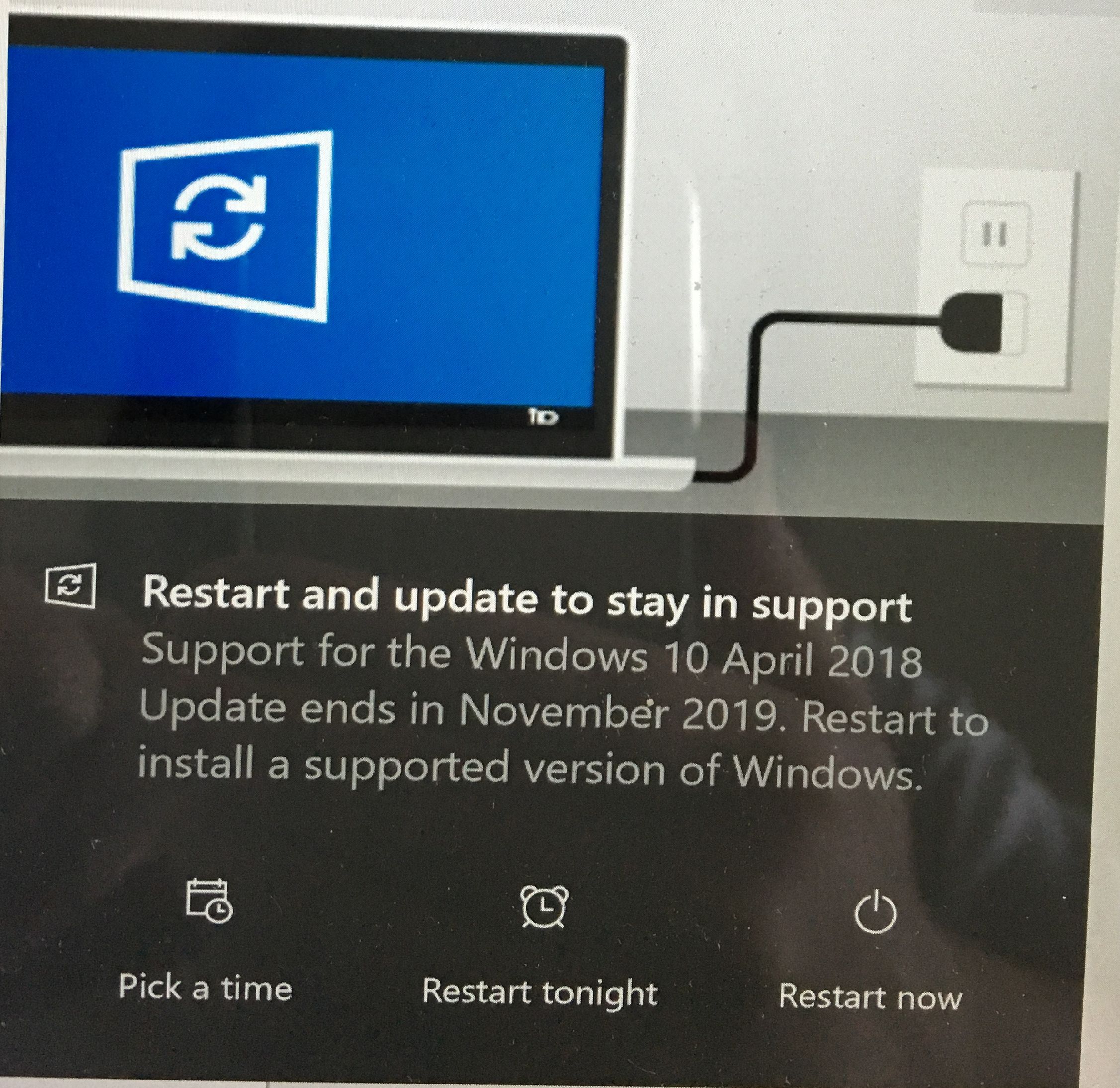
This just popped up on computer. They are telling me I need to update Windows. Doesn't seem there is a way around it and that it will happen whether I want to do this or not. I have the option to restart now, tonight, or to pick a time. So far I did not act.
I don't mind doing this but am worried about losing my files during this update.
Anyone got this notification? Did you do the update? Are all your files still there?
5 people like this
4 responses
@lovebuglena (52144)
• Staten Island, New York
3 Aug 19
I hope that is the case.
1 person likes this
@lovebuglena (52144)
• Staten Island, New York
3 Aug 19
@mrki444 Just did it. All files are there it seems. 
1 person likes this

@mrki444 (15162)
• Croatia (Hrvatska)
3 Aug 19
@lovebuglena Any update should not affect it.
1 person likes this


@owlwings (43897)
• Cambridge, England
3 Aug 19
I haven't seen that screen yet, perhaps because I always accept updates when they occur. That one looks as though you haven't allowed it to update for a while (though I could be wrong).
No, your files should be safe. Windows doesn't mess with the folders your files are stored in..
@owlwings (43897)
• Cambridge, England
3 Aug 19
@lovebuglena My impression has been that anyone who 'lost' files in a Windows update had, shall we say, a 'non-standard' setup and had stored files where they had no right to be. People sometimes lose files when restoring Windows because they haven't read the instructions carefully and press the wrong button without thinking.
There's more information about it here:
Microsoft today announced that it has started the roll-out of Windows 10 May 2019 Update to customers with Windows 10 April 2018 Update. Since Windows 10 April 2018 Update will reach the end of 18 months of service on November 12, 2019, Microsoft is pushin
@lovebuglena (52144)
• Staten Island, New York
3 Aug 19
I've done updates recently. There were times whenever I went to shut down the laptop instead of the regular Shut Down or Restart options it said: 'Update and Shut Down' or 'Update and Restart' and did the updates. My setting could be set to not automatically update stuff. I have no idea.
1 person likes this
@lovebuglena (52144)
• Staten Island, New York
3 Aug 19
I've read online but maybe this was for a different update that some people lost their files.
1 person likes this

@lovebuglena (52144)
• Staten Island, New York
3 Aug 19
I hope so. But I am worried about going through with this.
1 person likes this
@JustBhem (70555)
• Davao, Philippines
3 Aug 19
@lovebuglena You mean to say, you’ve done this before?
@lovebuglena (52144)
• Staten Island, New York
3 Aug 19
@JustBhem I've had updates on my laptop before. One was an upgrade from Windows 8.1 to Windows 10, which happened without my consent. And after that I am having a flickering screen issue.
1 person likes this

@LindaOHio (222302)
• United States
3 Aug 19
I did a whole article on this. I will be forced to update to Windows 10 before 2020; and I'm not looking forward to it. I could lose the use of some of my software plus my 200 video games. AND I need to spend around $129-$139 for the update which only covers one computer. I also have a desktop that I use. I am not a happy camper. I have automatic backup; so I shouldn't lose any files.
@lovebuglena (52144)
• Staten Island, New York
3 Aug 19
The update is free. Why do you have to pay?
1 person likes this
@lovebuglena (52144)
• Staten Island, New York
4 Aug 19
@LindaOHio The Windows updates are always free. Unless you are referring to getting a newer version of Windows.
1 person likes this
@LindaOHio (222302)
• United States
4 Aug 19
@lovebuglena How are you getting it for free? I could have gotten it for free the first couple of years but now I have to pay. Do you have a newer laptop?
