I can't Add Pictures Now

@akalinus (44366)
United States
August 25, 2020 4:06pm CST
I have been trying to add my own photos to my lot and they just don't work. I remembered that we have to crop them so I did. I still can't add a picture of the Migas I ate for lunch. This is a new phone and I don't know what the problem is. It is supposed to take better photos but it does not work out online. Could one of you ITs tell me what I am doing wrong on myLot photos? I would be happy for any suggestions.
9 people like this
9 responses
@sophie09 (34230)
• Indonesia
26 Aug 20
What did it say when you cant upload the pic?
1 person likes this
@akalinus (44366)
• United States
26 Aug 20
The discussion does post but there is no photo. It does not say anything. In the past, I got an error message with a noise. This is a lot quieter. I'm glad that readers here helped me with their information.
1 person likes this
@sophie09 (34230)
• Indonesia
27 Aug 20
@akalinus maybe the photo is too big?
@hereandthere (45628)
• Philippines
26 Aug 20
when resizing a picture, it should be 3MB or lower.
1 person likes this
@akalinus (44366)
• United States
26 Aug 20
Yes, thank goodness I know now. I could not remember what size they should be. I hope you like the photo of my Migas in another post.
1 person likes this
@popciclecold (40215)
• United States
25 Aug 20
Have no idea.
1 person likes this
@akalinus (44366)
• United States
26 Aug 20
We all learn things as we go along. I have not found the end of the internet yet. And I seem to not know much about photography either.
1 person likes this
@TheHorse (238298)
• Walnut Creek, California
25 Aug 20
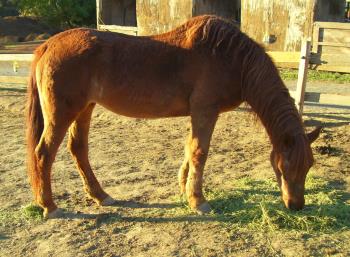
I'll try to add a picture to this comment, just to see if it's site-wide. I haven't tried to add a photo since this morning (Scrooge). I'll try to attach a photo of me enjoying dinner.
1 person likes this
@akalinus (44366)
• United States
26 Aug 20
He looks like he's enjoying grazing. Or is it a she? @JJ and @hereandthere let me know it is 3 mb or smaller. It is very good to know.
1 person likes this
@JudyEv (382019)
• Rockingham, Australia
26 Aug 20
It's good you were able to downsize the photo and post it. I often have to downsize mine too.
1 person likes this
@akalinus (44366)
• United States
26 Aug 20
Yes I found out it needs to be 3 mb or smaller. I did not have a 3 mb choice so I chose the 2 mb and it worked out fine.
1 person likes this
@Nevena83 (66063)
• Serbia
25 Aug 20
Did you get help?
1 person likes this
@akalinus (44366)
• United States
25 Aug 20
Not yet. Yes, JJ told me what size it should be. I have to work on it. It is a beautiful, colorful photo and I am flabbergasted that I can't figure out how to post it with my article.
1 person likes this
• United States
25 Aug 20
I think others have already suggested photo editing apps or websites. I've had problems uploading photos here too, or even discussions but that is fixed with lots of refreshing. Frustrating, but it works.
• United States
25 Aug 20
@akalinus I looked at the photo. That looks like a handle of some sort.
1 person likes this
@akalinus (44366)
• United States
26 Aug 20
@ScribbledAdNauseum I have a cord that lets me hold the phone on my wrist so if I drop it taking a photo, it does not fall far. I think that it got in the way but I did not notice at the time.
1 person likes this
@akalinus (44366)
• United States
25 Aug 20
I found a resizing section on my laptop. The closest was 2 mb and 4 mb. I picked the 2 mb and now I have a picture. I have no idea what the strange dark thing is on the bottom. I think I goofed in editing.
@CarolDM (203396)
• Nashville, Tennessee
25 Aug 20
They have to be smaller.
@akalinus (44366)
• United States
25 Aug 20
I did make them smaller by cropping. If I cropped anymore, it would not make sense because it would not show it is on a plate.
@akalinus (44366)
• United States
25 Aug 20
@CarolDM thank you, Carol. I remember this kind of stuff from before. I always had good luck with cropping before so I forgot about these sites. I don't know why cropping is not working now. It is a new phone that I know nothing about. My son picked it out for me.
1 person likes this
@CarolDM (203396)
• Nashville, Tennessee
25 Aug 20
@akalinus There are sites and apps you can get for free that reduces the actual size of the photos. Not cropping. If you have an iPhone, go to the "App Store" and search for "Image Size", download and resize your photos.
2 people like this
• Santiago, Chile
26 Aug 20
If your are mylotting from your phone, and it doesn't allow you to post the picture, I would suggest you to reset the phone, hold on until is on, and then try to post again through your browser!

@akalinus (44366)
• United States
26 Aug 20
I have a lot of trouble using the phone. I don't like typing on it but it is easier to share photos. I can't get myLot on the phone for whatever reason. I send my photos to my email and download them from there.
1 person likes this