

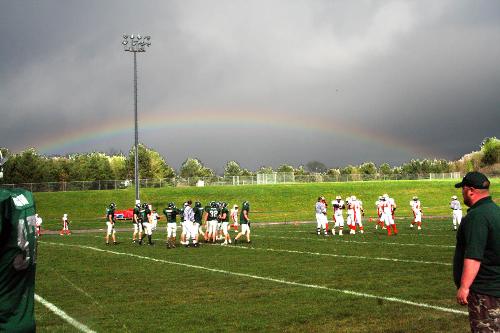
Enhanced Football Photo

By bobmnu
@bobmnu (8157)
United States

May 19, 2008 9:22am CST
I take sports photos for the local paper and was at a game this weekend and caught this photo of a Rainbow that was over both teams. I did some enhancing using Photoshop Elements v3.0. I took the photo and using the levels I lightened the whole picture until the sky was white. Then using the magic wand I highlighted the sky and under the View on the tool bar I selected inverse and then cut the players and the background except the sky. Exited the photo and not saving the file. I then reopened the photo and using levels again I adjusted the picture until the rainbow was its brightest. Then I pasted the highlighted foreground with the players onto the new layer and got the brighter picture.
I wanted to share my photo and explain how I got the results.
No responses
