photo results
 | floppy disk drive | http://guideformoney.blogspot.com | |
|  utkarshkumar (315) |
|
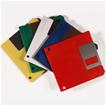
 | Floppy disk | A 3.5 inch floppy disk that can carry 1.4MB of data. | |
|  lucgeta (791) |
|
 | windows formattting | Disk formatting is the process of preparing a hard disk or other storage medium for use, including setting up an empty file system. A variety of utilities and programs exist for this task; pictured to the right is the iconic FORMAT.COM of MS-DOS and PC-DOS.
Large disks can be partitioned, divided into logical sections that are formatted with their own file systems. This is normally only done on hard disks because of the small sizes of other disk types, as well as compatibility issues.
A corrupted operating system can be reverted to a clean state by formatting the disk and reinstalling the OS, as a drastic way of combatting a software problem or malware infection. Obviously, important files should be backed up beforehand.
The low-level format of floppy disks (and early hard disks) is performed by the disk drive hardware.
The process is most easily described with a standard 1.44 MB floppy disk in mind. Low-level formatting of the floppy normally writes 18 sectors of 512 bytes each on each of 160 tracks (80 on each side) of the floppy disk, providing 1,474,560 bytes of storage on the floppy.
Sectors are actually physically larger than 512 bytes as they include sector numbers, CRC bytes, and other information required in order to identify and verify the sector during reading and writing. These additional bytes are not included in the quoted figure for overall storage capacity of the disk.
To complicate matters, different low-level formats can be used on the same media; for example, large records can be used to cut down on interrecord gap size.
Several freeware, shareware and free software programs (e.g. GParted, FDFORMAT, NFORMAT and 2M) allowed considerably more control over formatting, allowing the formatting of high-density 3 1/2" disks with a capacity up to 2 MB.
Techniques used include:* head/track sector skew (moving the sector numbering forward at side change and track stepping to reduce mechanical delay),* interleaving sectors (to minimize sector gap and thereby allowing the number of sectors per track to be increased),* increasing the number of sectors per track (while a normal 1.44 MB format uses 18 sectors per track, it's possible to increase this to a maximum of 21), and* increasing the number of tracks (most drives could tolerate extension to 82 tracks – though some could handle more, others could jam).
Linux supports a variety of sector sizes, and DOS and Windows support a large-record-size DMF-formatted floppy format. | |
|  tirtha9 (436) |
|
 | windows formattting | Disk formatting is the process of preparing a hard disk or other storage medium for use, including setting up an empty file system. A variety of utilities and programs exist for this task; pictured to the right is the iconic FORMAT.COM of MS-DOS and PC-DOS. Large disks can be partitioned, divided into logical sections that are formatted with their own file systems. This is normally only done on hard disks because of the small sizes of other disk types, as well as compatibility issues. A corrupted operating system can be reverted to a clean state by formatting the disk and reinstalling the OS, as a drastic way of combatting a software problem or malware infection. Obviously, important files should be backed up beforehand. The low-level format of floppy disks (and early hard disks) is performed by the disk drive hardware. The process is most easily described with a standard 1.44 MB floppy disk in mind. Low-level formatting of the floppy normally writes 18 sectors of 512 bytes each on each of 160 tracks (80 on each side) of the floppy disk, providing 1,474,560 bytes of storage on the floppy. Sectors are actually physically larger than 512 bytes as they include sector numbers, CRC bytes, and other information required in order to identify and verify the sector during reading and writing. These additional bytes are not included in the quoted figure for overall storage capacity of the disk. To complicate matters, different low-level formats can be used on the same media; for example, large records can be used to cut down on interrecord gap size. Several freeware, shareware and free software programs (e.g. GParted, FDFORMAT, NFORMAT and 2M) allowed considerably more control over formatting, allowing the formatting of high-density 3 1/2" disks with a capacity up to 2 MB. Techniques used include:* head/track sector skew (moving the sector numbering forward at side change and track stepping to reduce mechanical delay),* interleaving sectors (to minimize sector gap and thereby allowing the number of sectors per track to be increased),* increasing the number of sectors per track (while a normal 1.44 MB format uses 18 sectors per track, it's possible to increase this to a maximum of 21), and* increasing the number of tracks (most drives could tolerate extension to 82 tracks – though some could handle more, others could jam). Linux supports a variety of sector sizes, and DOS and Windows support a large-record-size DMF-formatted floppy format. | |
|  tirtha9 (436) |
|
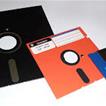
 | floppy disk | old diskette | |
|  jinxky (1095) |
|
 | disk walking | floppy disk walking | |
|  jc_star10 (791) |
|
 | Still life in the old floppy disk | i still use floppy disks in this new and modern age of usb | |
|  darkness01 (1089) |
|
 | floppy disk | do you use floppy disc now? | |
|  mariamcj (474) |
|
 | floppy disk | do you use floppy disc now? | |
|  mariamcj (474) |
|
|
| | |
| |