

Dear MyLot

@just4him (323168)
Green Bay, Wisconsin

January 12, 2017 3:10pm CST
Can you please make the type in the comment box as big as you have it in the discussion box? I'm having a very hard time seeing that small print to know if I'm even spelling correctly.
I know spelling isn't a big deal on the site, but myLot, it is to me. My eyes are also very precious to me and I like to be able to see what I'm typing. So please, myLot, could you do me a favor and make the font bigger in the comment boxes?
Yours respectfully
Valerie - @just4him
15 people like this
12 responses

@TheInvisibleMan (17594)
•
12 Jan 17
I think it easier to raise the letter on your screen.
5 people like this

@Drosophila (16568)
• Ireland
13 Jan 17
Bigger comment box definitely helps! Especially am posting on a phone half of the time
3 people like this


@Daljinder (23193)
• Bangalore, India
14 Jan 17
@just4him zoom. Tha's what pressing "Ctrl" and "+" together do.
1 person likes this


@1hopefulman (45111)
• Canada
13 Jan 17
Sorry to see that you are having a problem with the size of the print? Can you not increase the font size on your browser?
1 person likes this
@1hopefulman (45111)
• Canada
13 Jan 17
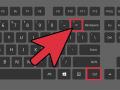
It is difficult sometimes to read the news or any article on Internet, just because of that microscopic font size, which forces the readers to stick their eyes on the screen. Follow the steps specified in this article, and learn how to...
1 person likes this
@just4him (323168)
• Green Bay, Wisconsin
13 Jan 17
@1hopefulman I know that method for changing the size in my e-mails and have done so, but it didn't do anything for the comment boxes.
1 person likes this

@Jessicalynnt (50523)
• Centralia, Missouri
13 Jan 17
does it get bigger if you hold cntrl down and hit the + sign? Yes it does! then you can hold cntrl down and hit the - sign to make the whole page smaller again
1 person likes this
@Jessicalynnt (50523)
• Centralia, Missouri
14 Jan 17
@just4him Mine seemed to get bigger too, but maybe I was wrong.
1 person likes this
@just4him (323168)
• Green Bay, Wisconsin
15 Jan 17
@Jessicalynnt You're not wrong.
1 person likes this


@FayeHazel (40230)
• United States
13 Jan 17
Another thing that you might try - if you're using windows press Ctrl and the plus sign key (hold ctrl, tap plus). If it gets too big you can hold crtl and tap the minus sign
1 person likes this
