

Help Me Please!
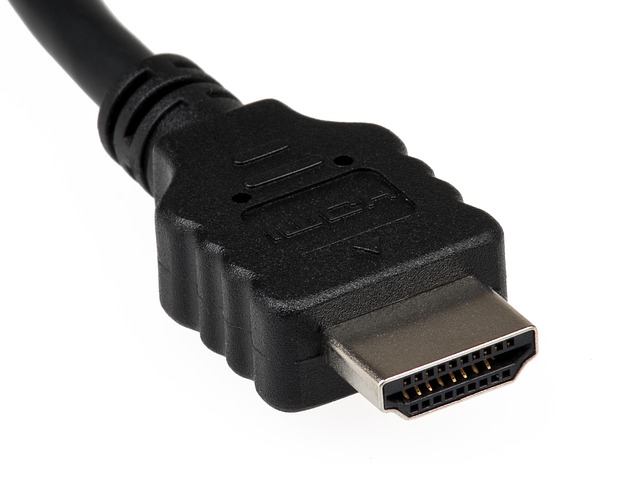

By LindaOH
@LindaOHio (222285)
United States

April 29, 2020 12:45pm CST
There are many, many times that I want to show my husband something on the computer. Maybe my sister-in-laws sent us some pictures or videos, we watch the webcam feed from Duval Street in Key West, maybe it's a purchase I'm thinking of making or a dozen other things.
In order for my husband to see what I'm seeing, he must stand behind my chair to see the screen. I'd like to be able to show him what I'm seeing on our 50" TV screen. By the way, I have a Smart TV.
Can someone help me please? What type of cable do I need? HDMI? Will it have a USB connection to the computer? What? Where does it get connected into the TV? One of the members mentioned a Bluetooth wireless connection.
I know of at least one techno-member here that may be able to help me. I would appreciate any help I can get.
Thank you.
Photo Credit: Pixabay
9 people like this
9 responses

@haraka (1282)
• Indonesia
29 Apr 20
@LindaOHio if you have the Android smart TV than you can use chromecast.
1 person likes this


@LindaOHio (222285)
• United States
29 Apr 20
@DianneN You're also not a moron. Maybe you're technically challenged.
1 person likes this

@LindaOHio (222285)
• United States
30 Apr 20
Scott is our techno-wizard; and he was able to help along with a couple of other members. Thanks.
1 person likes this

@LindaOHio (222285)
• United States
29 Apr 20
@CarolDM The Blue Tooth connection on my computer says it's "On"; but I have no idea if my TV has a Blue Tooth connection. It's several years old. I'll have to dig out the manual I guess! Thanks!
1 person likes this
@CarolDM (203396)
• Nashville, Tennessee
29 Apr 20
@LindaOHio We have Air Play wireless (blue tooth) from Apple, that is connected to our tv. Kind of like the wireless ear buds that connect to your phone.
Smart TV's have a blue tooth connection (should be wireless too). If you do, make sure it is turned on, then turn on the blue tooth on your computer. That will be your wireless connection between the computer and tv.
1 person likes this

@DocAndersen (54399)
• United States
29 Apr 20
ok so let's talk about what you have.
1. tv - on the back of the TV i suspect there are a number of inputs right?
2. the computer, do you have an HDMI or traditional video (VGA or DVI)
3. Do you want to make this a direct connection or can it be a wireless connection?
so get me those and I can give you two different options!
1 person likes this
@LindaOHio (222285)
• United States
29 Apr 20
1. Yes
2. How do I find this out? My laptop is less than a year old.
3. It would be better if it was a wireless; but I could get along with a wired connection.
BTW, I have a Smart TV that's from 2012. It mentions Bluetooth once in the manual; but there are no instructions related to that anywhere in the manual. I'm lost.
Another BTW, I went into my Settings on the computer and looked for Bluetooth. The setting is "On".
1 person likes this
@LindaOHio (222285)
• United States
29 Apr 20
@DocAndersen I typed in Chromecast; and a Firestick came up. You plug it into your TV AND your WiFi?
1 person likes this
@DocAndersen (54399)
• United States
29 Apr 20
@LindaOHio the easy button amazon.com and order a chromecast!
plugs into your TV and your wifi network at home
you connect to the chromecast and share your content!
no wires!
1 person likes this


@MommyOfEli2013 (89486)
• Rupert, Idaho
30 Apr 20
Glad there are other's who can help with this because I have no idea - although I would love to be able to do that myself!!
1 person likes this
