

Nothing is simple , help please lol

@Ineeddentures (15916)

February 2, 2026 11:47am CST
Yes I finally did it
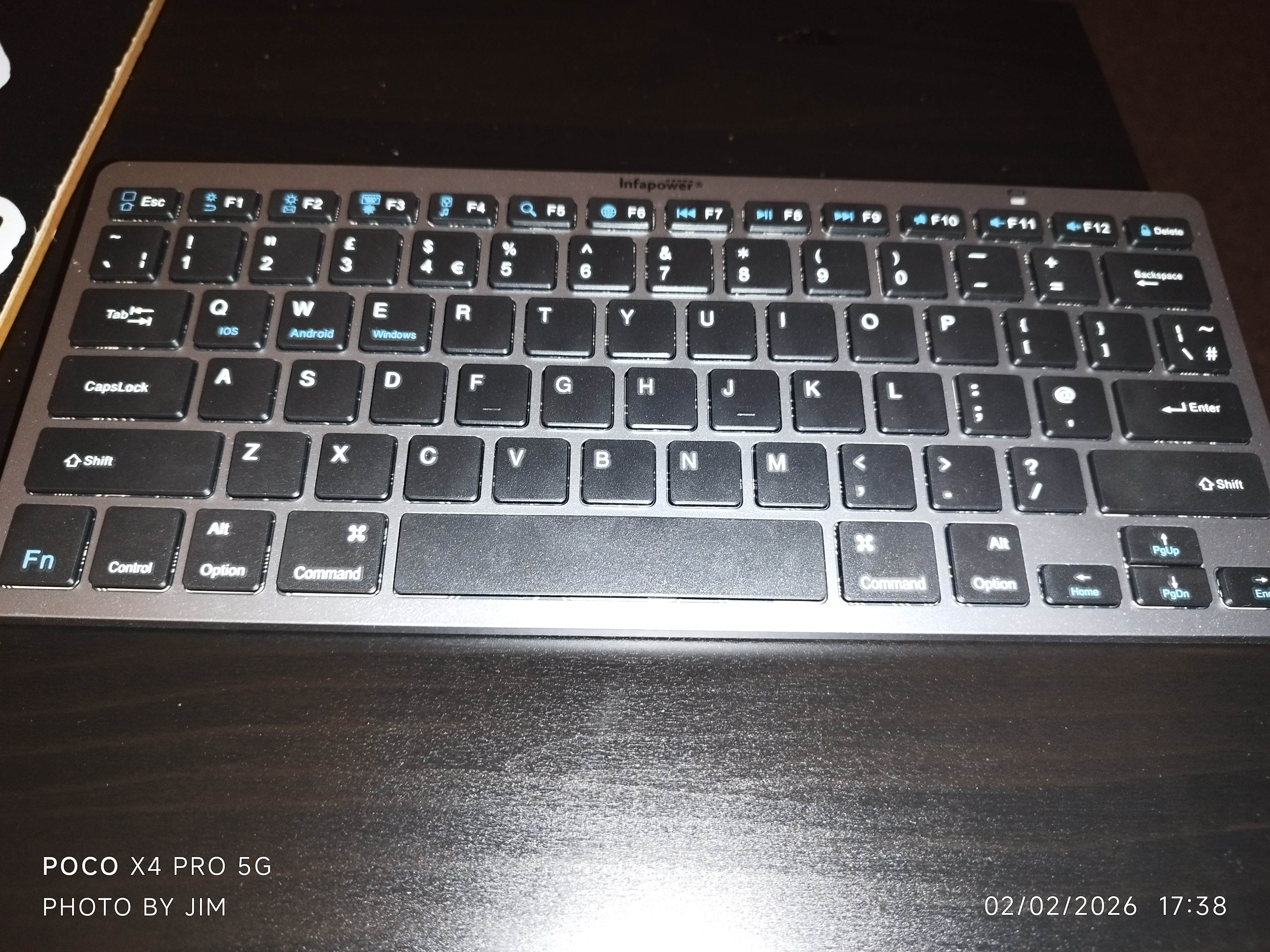
I bought a wireless keyboard
It is supposed to be pair with the telly on Bluetooth and type
But so far not good
The keyboard and the TV pair just fine
The navigation buttons all work
But it seems confused when I ask it to type on an address bar
I may have to clear cache on Amazon Silk Browser on the telly or update the.app or download another browser.
I will play with it later on now doubt
I will try it on this phone also and see how I get on
It was only £18 - if it does not work properly or fully on the telly I will buy a tablet.
I will update my progress or lack of
Has anyone here got a Bluetooth keyboard attached to a.smart TV and had any problems.or could offer advice
Thanks
14 people like this
12 responses

@lovebuglena (48927)
• Staten Island, New York
9h
I’ve never heard of such a thing. Hope you can get it to work fine.
2 people like this

@lovebuglena (48927)
• Staten Island, New York
8h
@Ineeddentures can you search for the answer online?
1 person likes this
@Ineeddentures (15916)
•
4h
@lovebuglena I did
The news was not good.
But all the info was right on front of me
I just did t see it
Only the Fire TV remote can be used
Or a games controller
1 person likes this
@Ineeddentures (15916)
•
8h
The keyboard is working my phone ok Lena
So now to get it working on the internet browser on the telly
1 person likes this

@LooeyVille (73)
• United States
9h
I would LOVE a keyboard for a smart tv. I didn't know such a thing existed.
2 people like this
@Ineeddentures (15916)
•
9h
Oh aye they exist.
This one paired in a few seconds on Bluetooth
It just won't type on the Amazon Silk Browser
I need to check the settings on the TV and Silk App
I'm sure I saw a setting about typing and inputs and keyboards
2 people like this
@LooeyVille (73)
• United States
9h
@Ineeddentures I'll have to let hubby know. He moves that blasted cursor around typing in the name of the show he wants to see and it's slow and frustrating
2 people like this
@Ineeddentures (15916)
•
9h
@LooeyVille
Typing with the remote is not good.
I will figure it out
Just go onto Amazon
Type in Bluetooth keyboard for smart tv
2 people like this

@snowy22315 (202292)
• United States
8h
Nope, good luck. You may have to check with the manufacturers, or Amazon..always a joy..not.
1 person likes this
@snowy22315 (202292)
• United States
8h
@Ineeddentures Yeah, AI is good for things like that. I like how they cut through all the chaff and get to the root of the problem.
1 person likes this
@Ineeddentures (15916)
•
8h
Well AI was quite a help.
I should be reporting success a bit later on
I hope
1 person likes this

@kaylachan (82794)
• Daytona Beach, Florida
8h
I never thought of that, but it'd be cool if I could. It'd make searching a hella lot easier since I use audio guides to do everything. a bluetooth keyboard woud be a godsend lol.
1 person likes this
@kaylachan (82794)
• Daytona Beach, Florida
4h
@Ineeddentures It's okay. Sometimes it does work. LOL. but you didn't know without trying.
1 person likes this
@Ineeddentures (15916)
•
4h
So I am now aware thos keyboard won't work
Right there in front of me
It says
Works with Fire TV Remote or Game controller.
Silly me for not noticing that
1 person likes this

@Ineeddentures (15916)
•
4h
@rebelann
It just doesnt work properly with any keyboard
On the app info page, I missed the bit that says works with games controller or fire TV remote
1 person likes this

@RasmaSandra (93736)
• Daytona Beach, Florida
4h
I have no smart devices and no Bluetooth I hope you can figure all this out, I am very ono-technical but see if this can help you
https://www.pocket-lint.com/bluetooth-keyboard-smart-tv-connection/
1 person likes this
@RasmaSandra (93736)
• Daytona Beach, Florida
4h
@Ineeddentures well, then I don't know good luck figuring it out,
1 person likes this
@Ineeddentures (15916)
•
4h
I think the article touches on problems right enough
But doesn't tell the reader that some TV,s only allow the use of the remote control to type on some other all apps, or a game controller
My TV says game controller and remote
Not Bluetooth keyboard
Only the navigation buttons work
1 person likes this


@wolfgirl569 (128915)
• Marion, Ohio
4h
Never tried to attach one to the tv. Good luck
1 person likes this
@Ineeddentures (15916)
•
4h
It connected to the TV with no issues
The navigation buttons worked
Then I read.the browser app notes
" Works with Fire Remote Control or a Game Controller"
Wish I had seen that before I bought the keyboard
1 person likes this


@Ineeddentures (15916)
•
8h
I am making progress
I managed to pair it to my phone and all functions worked fine
But the internet browser on the Smart TV is a challenge
1 person likes this

@Ineeddentures (15916)
•
1h
It doesn't matter now
It is not compatible fully, with the TV
Some bits work
Some don't lol

@thedevilinme (4773)
• Northampton, England
5h
I dont think you can type into the tv address bar as its not the same as your laptop browser and acts like an app
1 person likes this
@Ineeddentures (15916)
•
4h
The Amazon Silk Browser is just like any browser app , but on a TV
It is the same as a web browser on a phone and there is even an app for it on Play Store
I can type into it with the remote control for the TV
It's a great browser.
I watch all the football and darts on it on fawanews.sc
All free

@MommyOfEli2013 (86636)
• Rupert, Idaho
7h
That sounds like a mess....sorry to hear that. I would have no idea how to help. I am sure my son would, he's a genius with technology
1 person likes this
@Ineeddentures (15916)
•
4h
He would have looked at the info on the browser app
He would have said
" It only works with a fire TV remote control or a games controller"
Because that's what it says lol and I didn't see it
