

Dongle vs. HDMI Cable

By LindaOH
@LindaOHio (222280)
United States

June 26, 2020 9:49am CST
As you probably know, I ordered a dongle to attach to our 50" screen TV. A dongle allow you to view on the big screen what is on your computer screen and does it wirelessly. After days of trying to connect it to the internet, I finally gave up.
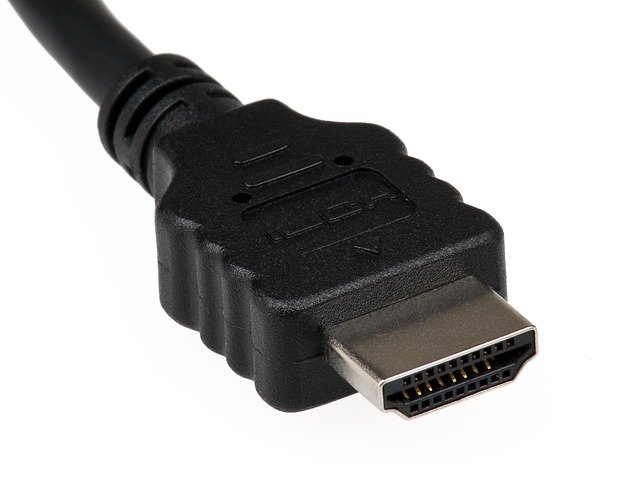
I ordered an HDMI cable which connects directly from the TV to the computer; and Voila! it works perfectly!
Now the hubs can sit in his recliner and see what I want him to see on the computer. We even sit and watch the live webcam from the Florida Keys.
Photo Credit: Pixabay
14 people like this
16 responses


@moffittjc (128833)
• Gainesville, Florida
28 Jun 20
Now all you need is a nice adult beverage while you're watching the Keys webcam, and you can pretend you are right there in the islands enjoying a little slice of paradise!
2 people like this
@LindaOHio (222280)
• United States
28 Jun 20
It's been really nice. We watch all the people walking down the street, etc. Sloppy Joe's is still closed because they don't have any open-air seating.
1 person likes this
@moffittjc (128833)
• Gainesville, Florida
28 Jun 20
@LindaOHio It's surprising that they don't, because with the gentle ocean breezes and mild temperatures in the Keys, you would think most of the bars and businesses there would have open-air seating. And there are a few that do, though not all of them are like that. Have you found any webcams that show Mallory Square? That would probably be a delightful one to watch!
1 person likes this


@topffer (42155)
• France
26 Jun 20
I spent hours to try to connect by Bluetooth my new phone to my laptop, before giving up and. connecting it with an USB cable... These wireless dongles are perfect when they want to work, but you never know if they will work on your material. My TV is connected with a HDMI cable.
2 people like this
@LindaOHio (222280)
• United States
26 Jun 20
I'm glad it wasn't just me. I tried everything I could think of. The HDMI cable was connected in a couple of minutes!
1 person likes this


@TheHorse (238284)
• Walnut Creek, California
26 Jun 20
@LindaOHio Weird. Will you just return your dongle? I'm trying to do maintenance on mine.
1 person likes this
@LindaOHio (222280)
• United States
27 Jun 20
@TheHorse I tried to return it (to China). They said to keep it and they would take it off my credit card. We shall see.
1 person likes this
@LindaOHio (222280)
• United States
26 Jun 20
lol When I connected it to the internet it knocked my PC off and vice versa.
1 person likes this

@louievill (28846)
• Philippines
26 Jun 20
Our TV has a permanent HDMI cable at the back for the sole purpose of attaching it to the computer CPU, I think you got the solution to your problem.
1 person likes this


@lovebuglena (52167)
• Staten Island, New York
29 Jun 20
I thought all you needed to see computer stuff on your TV screen is an HDMI cable. That's what we use to connect laptop to TV when we watch Netflix.
1 person likes this
@LindaOHio (222280)
• United States
30 Jun 20
That's what we have now. The wireless connection would have been nice; but I couldn't get the dongle to connect properly.

@DesirousDreamer (34776)
• Peoria, Arizona
26 Jun 20
An HDMI cord is always handy to have!
1 person likes this


@ScribbledAdNauseum (104615)
• United States
26 Jun 20
Well that's great! I am glad you finally got it all figured out. The other day I mentioned that I wanted cable put back in my room, and I had to have the relative help me with that one. Then yesterday when a friend came to help me organize and get rid of things, well she had to be the one to hook everything up again.
I have an HDMI switcher which allows me to switch between my roku and the cable box.
1 person likes this

